

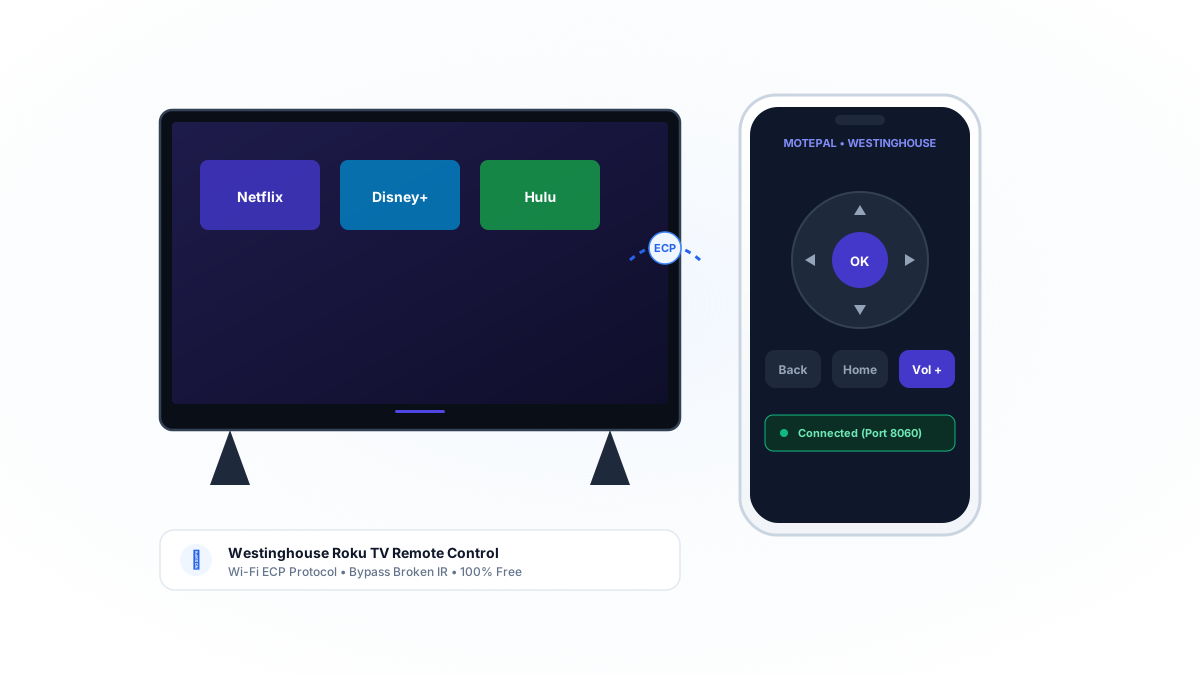
If your Westinghouse Roku TV remote fails to respond: first, remove both batteries and hold the physical Power button on the remote for 15 seconds to discharge residual static electricity. Second, ensure no soundbars or decorations block the optical infrared sensor located on the bottom right bezel of the TV frame. If the remote has stopped working entirely, install MotePal on your Android phone to regain instant Wi-Fi control over Roku's native External Control Protocol (ECP port 8060) with zero ads and no account required.
Westinghouse Roku TVs are widely known for delivering budget-friendly 4K and 1080p smart home entertainment across bedrooms, dorms, and family rooms. Running the official Roku OS platform, these televisions offer instant access to major streaming platforms and live TV channels.
However, Westinghouse TVs almost exclusively ship with basic Infrared (IR) remotes to keep production costs down. These remotes do not communicate over radio waves or Bluetooth: they rely on an invisible beam of pulsating infrared light.
When optical sensors become dirty, when battery voltage drops slightly, or when children drop the remote on hard flooring, buttons frequently stop responding.
Here is how to test, repair, and bypass your physical Westinghouse Roku TV remote using your Android smartphone.
MotePal communicates directly with Westinghouse Roku TVs over local Wi-Fi port 8060, completely bypassing broken optical IR transmitters.
Step 1: Perform an Infrared Diagnostic Test
Because Westinghouse remotes use infrared light, you can verify if the transmitter is physically broken using your smartphone camera:
- Open the camera app on your Android smartphone.
- Point the front tip of your Westinghouse remote directly into the camera lens from 2 inches away.
- Press and hold down any button (such as Power, Volume Up, or Home).
- Look at your phone screen: if the remote is working, you will see a bright purple or bluish flashing light emitted from the front LED bulb.
- If no light appears, either the batteries are dead or the internal solder joint on the IR emitter has cracked.
Step 2: Electrical Discharge and Sensor Alignment
If the remote emits infrared light but the TV fails to respond:
- Remove both AAA alkaline batteries.
- Press and hold the Power button on the remote for 15 seconds.
- Press all keypad buttons twice firmly to dislodge trapped dust particles.
- Locate the IR sensor on the Westinghouse TV (it is housed behind a glossy black plastic bubble on the lower right or lower center edge of the frame).
- Clean the plastic lens using a microfiber cloth to remove dust buildup.
- Insert fresh 1.5V alkaline batteries and test directly in front of the TV sensor.
Step 3: Use MotePal for Immediate Wi-Fi Control
If the physical remote has failed, your Android phone can take over immediately over your local Wi-Fi network.
Every Westinghouse television running Roku OS operates Roku’s native External Control Protocol (ECP) over local TCP port 8060:
- Download MotePal on Google Play.
- Confirm your smartphone is connected to the same home Wi-Fi network as your Westinghouse TV.
- Open MotePal. The discovery engine scans your network and locates your Westinghouse Roku TV automatically.
- Tap your TV in the list.
- The full remote interface opens instantly with zero pairing codes and no account sign-in.
You can preview the responsive buttons and layout on our interactive web remote simulator.
To ensure your Westinghouse Roku TV responds to mobile power commands while in standby, open Settings > System > Power > Fast TV Start and select Enable. This maintains network readiness so MotePal can power up your television over Wi-Fi.
Why MotePal is Better Than Cheap Replacement Remotes
- Zero Hardware Cost: Buying a replacement plastic remote online costs $12 to $20 and takes days to ship. MotePal works right now for zero dollars.
- Effortless Text Entry: Typing passwords and search queries using a physical D-pad takes multiple minutes. MotePal synchronizes your phone keyboard directly into Roku text fields.
- 100 Percent Ad-Free: Unlike generic TV remote apps on Google Play that blast full-screen video commercials on every tap, MotePal is completely ad-free.
Frequently Asked Questions
Where is the physical power button on Westinghouse Roku TVs?
On modern Westinghouse Roku TV models, the physical control button is located underneath the bottom right bezel or on the rear right corner of the television. Press it once to turn on the screen or cycle through inputs.
Can I control my Westinghouse Roku TV if Wi-Fi changed?
If your home Wi-Fi changed and your physical remote is broken, set your mobile phone hotspot name (SSID) and password to match your old router settings. The Westinghouse TV will automatically connect to your hotspot. Then use MotePal to update your television to the new Wi-Fi network.
Does MotePal support older non-Roku Westinghouse TVs?
MotePal is specifically designed for smart televisions communicating over local Wi-Fi networks (including all Westinghouse Roku TVs). Older legacy Westinghouse TVs without smart operating systems require physical infrared hardware.
Need an Instant TV Remote on Your Phone?
MotePal connects to your Google TV, Android TV, Roku, Samsung, or LG TV over Wi-Fi in seconds. 100% free with zero ads and no account required.